
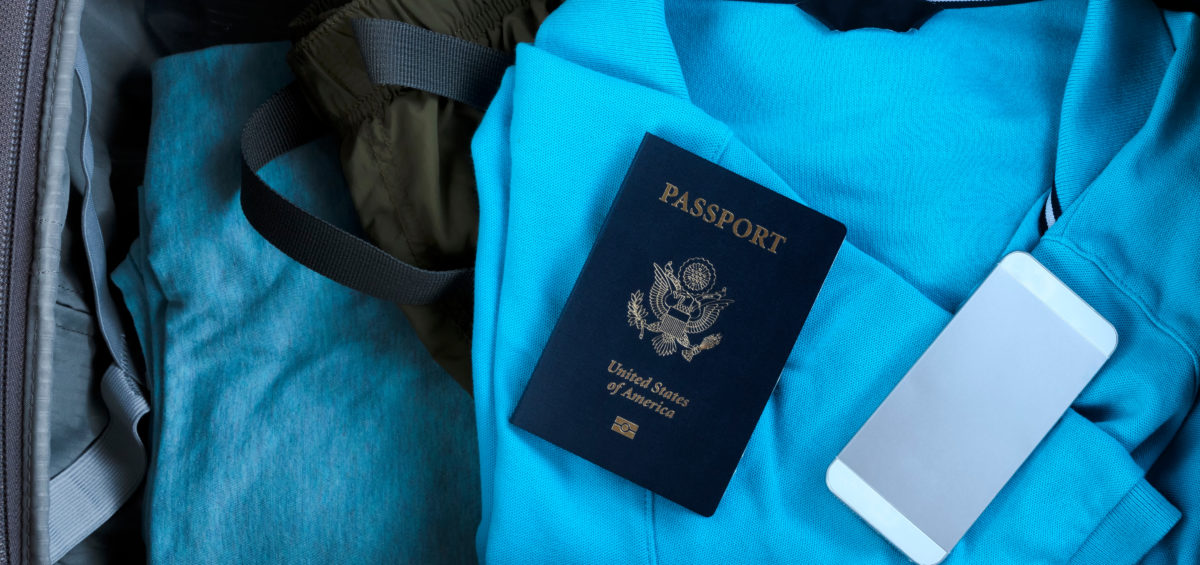
Everything you need to know to travel internationally with a 5G phone.
Spring has sprung and travel is opening up but a large percentage of countries do not have 5G. As you plan that business trip or go on vacation, your international plan may do you no good unless you turn off 5G. With that in mind, Misty Browning, our manager of Mobility Experience has documented the steps for doing this on Apple and Samsung devices.
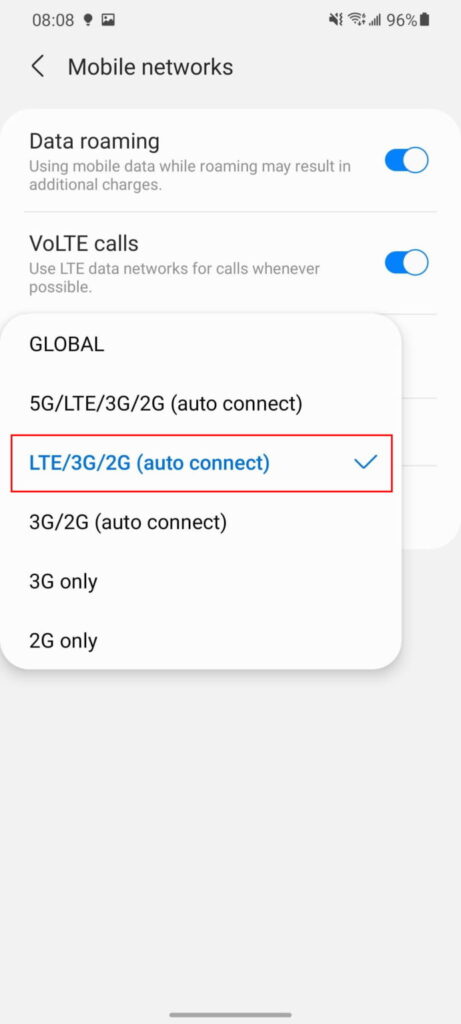
SAMSUNG DEVICES
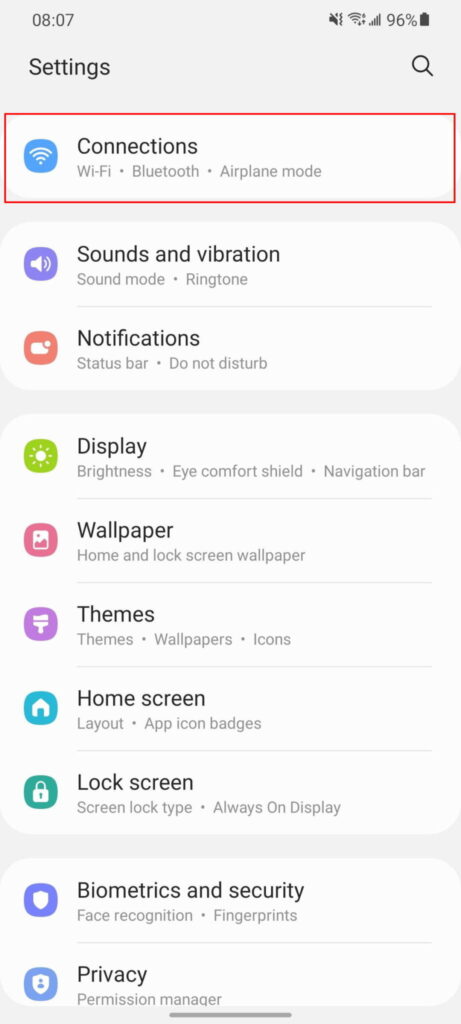
- Go toSettings>Connections.
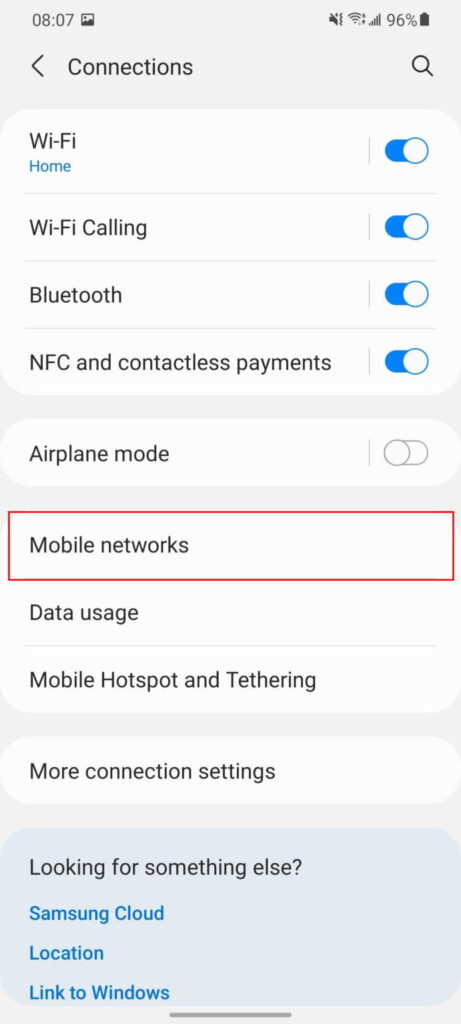
- Tap onMobile Networks.
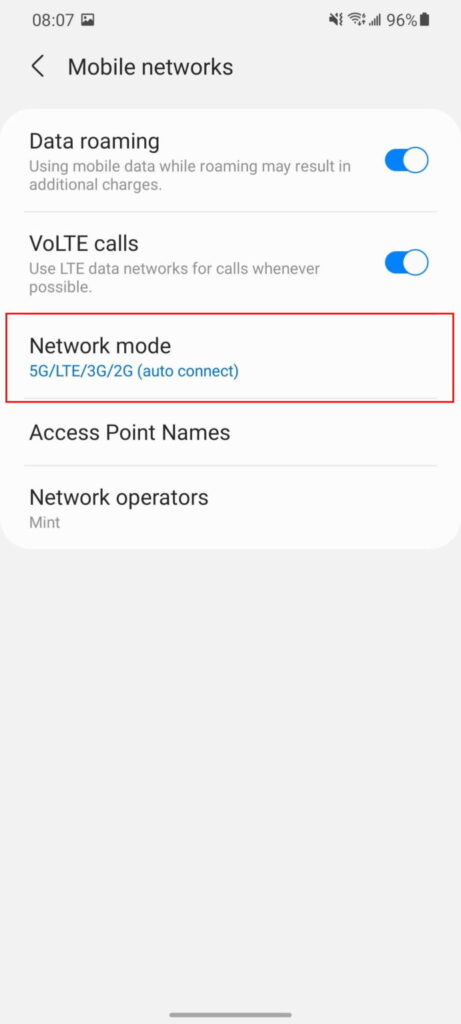
- Tap onNetwork Mode.
- SelectLTE/3G/2G(Auto),LTE/CDMA, or one of the other4G/LTEoptions
APPLE DEVICES
- Open theSettingsapp on your iPhone.
- TapCellular.
- SelectCellular Data Optionsat the top of the page.
- TapVoice & Data.
- SelectLTE.


Now get out there and plan your next adventure!
If you need help managing your corporate wireless services, ARG’s mobility management solutions can make your life easy. Email info@myarg.com for more information!